You’re putting together a small research project and remember someone who had exactly the experience you need. You met at a workshop, talked for half an hour, and exchanged details. But when you open your contacts, you find three versions of “Alex,” an old company name, and a group called “New contacts” that now contains almost everyone. The information is probably there; the difficulty is knowing where to look and which record to trust.
This is a useful place to start organizing because it gives you a real problem to solve. You want to find people through the things you remember about them, understand how you know each other, and see whether you owe them anything. A system built around those everyday questions can stay quite small, even as you meet more people.
The short answer
Keep one reliable record per person, start with three or four useful Lists, and put promises in reminders. Review your active groups occasionally, retire the ones you no longer need, and correct details as you learn them. Organize around the questions you actually ask when looking for someone.
1. Start with the people you need now
A full address-book cleanup can be hard to finish because you have to make decisions about people you haven’t spoken to in years. Begin with the contacts connected to your current work: collaborators, people you’ve recently met, and anyone you’ve promised something. You’re more likely to remember what is accurate, and you’ll get a chance to use the improved records soon enough to see whether your approach helps.
For each person, check their name, the contact details they gave you, and enough context to recognize the relationship. If you know Alex through a workshop, preserve that connection even if their current employer is unclear. An old job title may help you identify the right person, but label it as old rather than quietly treating it as current. You can improve the rest of your address book as you use it, checking each record when you have a practical reason to open it.
2. Give every List a useful purpose
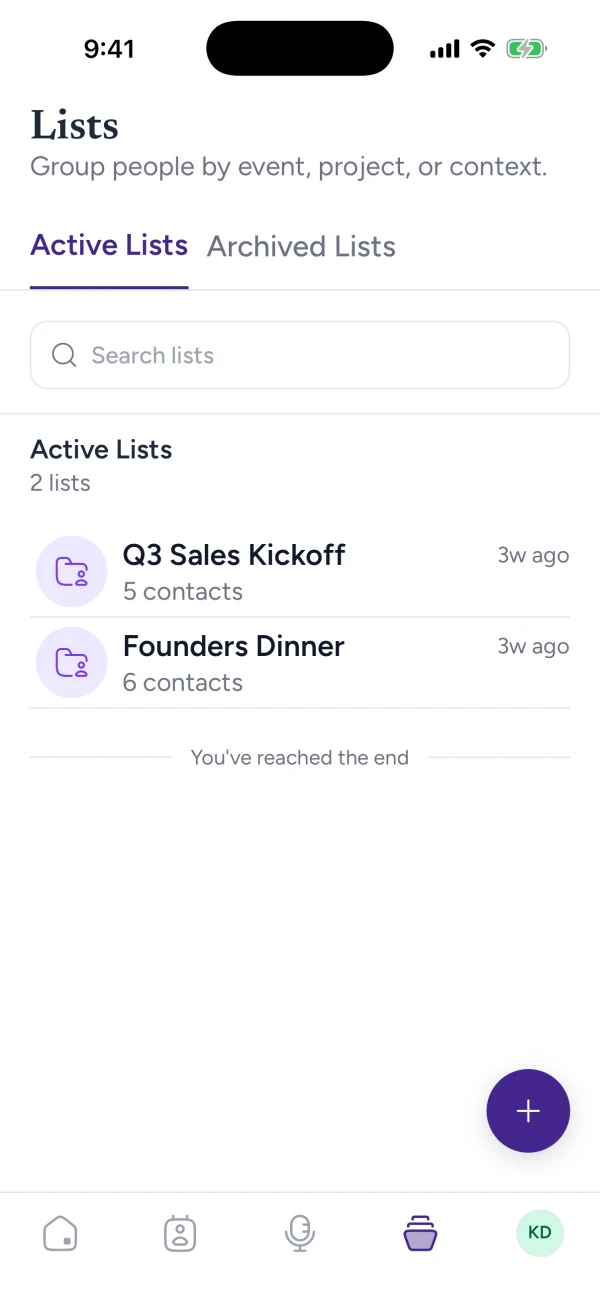
Before creating a group, finish this sentence: “I will open this when I need to…” The answer should describe something you actually do, such as finding collaborators on an active project or remembering people from a community you attend. That gives you a way to decide both who belongs in the List and when you would use it. Without that purpose, broad labels such as “Interesting people” can become another place to put everyone.
An independent designer, for example, might begin with three Lists that reflect different parts of their working life:
- Current collaborators: People involved in ongoing projects
- Local design community: People connected to the meetups they attend
- Research peers: People they exchange research ideas with
Each of these names suggests a reason to look through the group. The designer might open “Current collaborators” while planning a project handover, or “Research peers” when looking for someone to discuss an interview method with. A job seeker or community organizer would choose different groups because they are trying to answer different questions. Start with three or four that fit your situation, then split one only when a more specific group would help you find someone. You do not need a category for every attribute, and membership should not become a ranking of people’s value.
3. Check for duplicates before adding
Search for a person before creating another record, especially when you’ve just captured a card. Try their name and email address, remembering that a nickname, new employer, or second email address may make an existing contact look unfamiliar. If you find both “Alex Chen” and “Alexander Chen,” compare the details and the circumstances in which you met before deciding they are the same person. A shared name alone is not enough.
When you do identify a duplicate, check both records before consolidating them. One might hold the current email address while the other contains the conversation that explains why you know each other. Keeping those details together also helps when someone belongs to several parts of your life: you can recognize a research peer who later becomes a collaborator without creating a new version of them for each project. For card-specific checks, see turning business cards into useful contacts.
4. Give relationships and tasks different homes
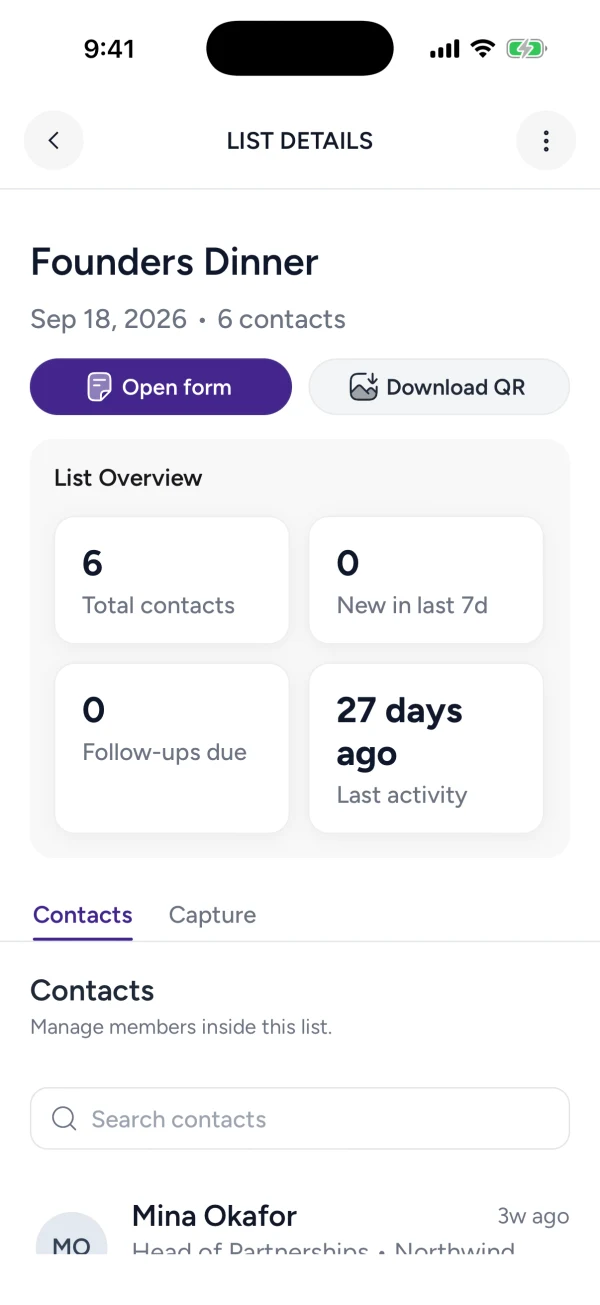
A List answers “Who belongs to this group?” while a reminder answers “What do I need to do, and when?” Keeping those purposes separate prevents a common problem with groups called “Follow up”: you can see a set of names, but still have to open every record to work out what is due. Some people may be waiting for a document, others may have offered to get back to you, and a few may need no action at all.
Suppose Maya belongs in “Research peers” and you’ve promised to send her an interview guide. Put that promise in a reminder with a useful date, then close the task once you’ve sent it. Maya still belongs in the List because the reason you exchange ideas has not changed. This lets you review your commitments without repeatedly rearranging your contacts. Keep the conversation context with the person; our guide to setting useful follow-up reminders explains how to turn the commitment into clear wording and a realistic date.
5. Review and retire old groups
As projects finish, the groups that helped you run them may become less useful in your everyday view. A short monthly review is a reasonable starting point: look for Lists you still use, ones that describe finished work, and pairs whose purposes have drifted together. If you keep opening two groups to answer the same question, combining them may save more effort than maintaining the distinction.
Archiving a finished group can preserve its history while making current work easier to find. Where archiving is unavailable, a clear name such as “Past project: studio launch” helps you recognize why the group still exists. Before retiring it, check for unfinished promises and make sure they have somewhere to be tracked. The people involved may remain relevant long after the project ends, so review group membership separately from deciding whether to keep a contact. Retain useful context, and remove information that no longer serves an appropriate purpose.
6. Keep the system easy to use
Kontextual brings contacts, notes, Lists, and follow-up reminders together, so you can keep the person, their context, and your next step close to one another. Begin with a handful of real contacts and use them during your normal week. Notice where you hesitate: perhaps a List name is too broad, or the detail you remember about someone is missing from their record. Those specific difficulties will tell you what to improve more reliably than trying to design every category in advance.
Next time you need someone like Alex, see whether you can find the right person, understand why you know them, and check what you owe them. When those three things are easy, you have enough organization to support the conversation. Let further changes follow the needs you encounter as you use it.