You’re planning your week when “Follow up with Maya” appears among your reminders. You remember having a good conversation, but you can’t tell whether you offered to send a document, wanted to ask a question, or were waiting for her to finish something first. Before you can do the task, you have to find the conversation and reconstruct what you meant when you wrote it.
That is an easy problem to create because a reminder often feels perfectly clear in the moment. You still have the conversation in your head, so a name and a date seem sufficient. A useful reminder carries enough of that context forward for the day when you have other things on your mind. It should help you recognize your commitment, decide whether it still applies, and take the next step without making the person on the other end feel chased.
The short answer
Write a reminder around one action you control, include the person and the relevant context, and choose a date you can realistically act on. When it comes up, complete it, deliberately reschedule it, or close it if it no longer applies. A reminder should help you keep a promise without pressuring someone else to respond.
1. Decide what deserves a reminder
Start with the things you explicitly said you would do: make an introduction, send a requested resource, or check an answer. These are worth recording because someone else may be planning around your contribution. Be precise about your part in the exchange. If Maya asked for a checklist and you agreed to send it, the task is to send that checklist; you don’t need to turn the whole relationship into an open-ended obligation to “stay in touch.”
Sometimes the next useful step is a decision you can’t make yet. “Review whether the workshop dates are ready to share” gives you a reason to return to the question without implying that you’ve promised someone an announcement on that day. Labeling it as a review helps keep your private planning separate from commitments other people know about. And if a conversation ended warmly without any agreement or genuine reason to reconnect, it is fine to save the context and leave the reminder empty.
2. Write the action so it stands alone
A dependable starting point is action + person + useful detail. Name what you’ll do, who it concerns, and the piece of context that distinguishes it from everything else you could do for that person. Include the channel or resource when it removes a decision you’ve already made. You should be able to read the reminder several weeks later and understand what finishing would look like, even if you still need to open the contact’s notes for the full background.
These fictional examples show how a few additional details change the work you’re asking yourself to do:
- Vague: “Maya follow-up”
Useful: “Email Maya the interview checklist I offered during our project review” - Vague: “Introduce Leo”
Useful: “Ask Priya whether she is open to an introduction to Leo about the workshop” - Vague: “Check in with Sam”
Useful: “Review Sam’s September note and decide whether the updated guide is relevant to send”
The first example tells you which document you owe and why Maya expects it. The second identifies a necessary step before the introduction: asking Priya whether she wants it, rather than assuming you can share her details. The third leaves room for judgment because you haven’t yet decided whether the guide would help Sam. All three give you a clear action within your control, while leaving the longer history in the contact record where you can consult it if needed.
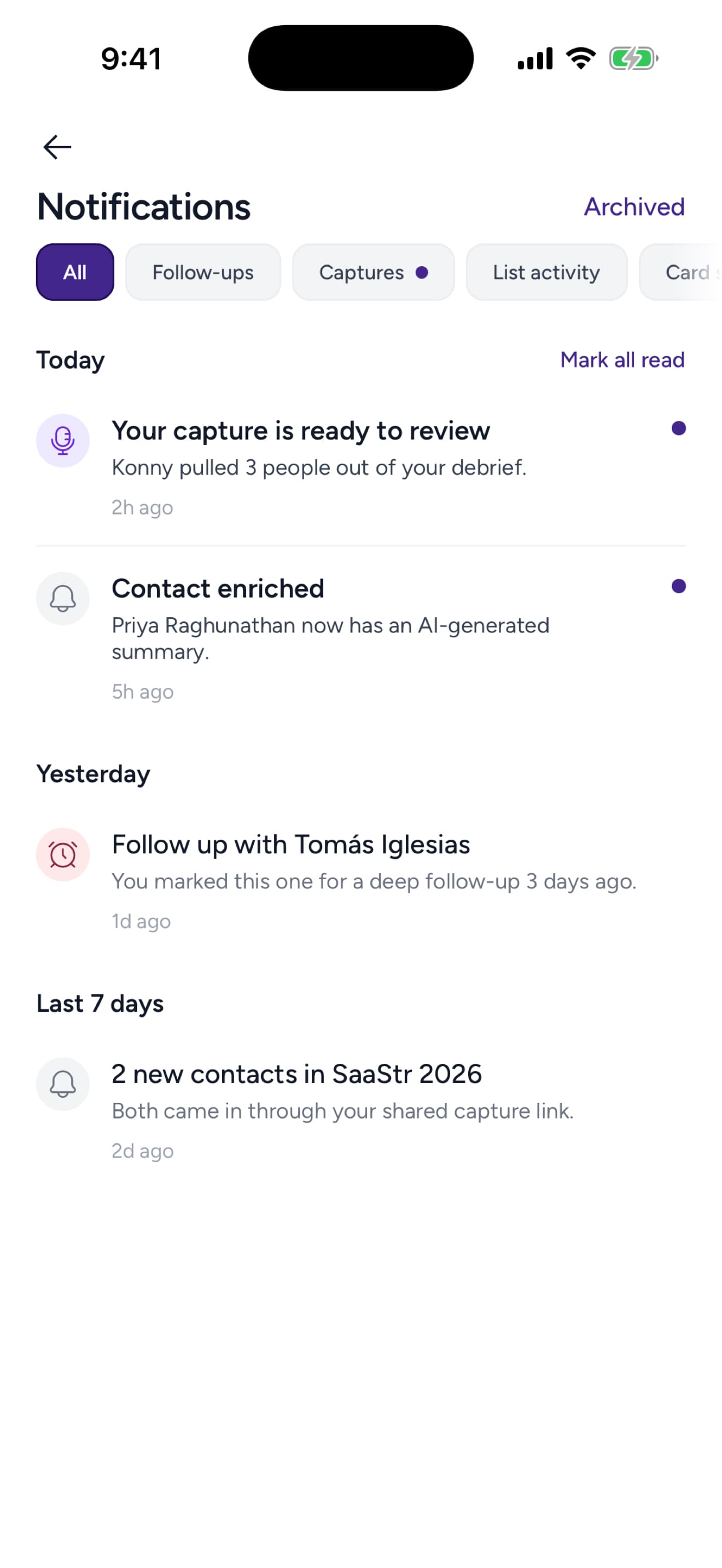
The Notifications screen gives a next step a place to surface. Existing Kontextual product-design export; sample content is illustrative.

3. Choose a date you can honor
Choose the date by working backward from the commitment and considering what the task requires. If you promised a guide by Friday, checking it for outdated examples may take longer than attaching it to an email. Put time aside while you can still do that preparation; a reminder late on Friday only tells you that the deadline has arrived. When the action is genuinely quick, such as sending a link you already have permission to share, you can plan accordingly.
When no date was agreed, consider why the action matters and when it will be useful. An answer someone needs before next week’s meeting has a different timescale from a resource they might enjoy whenever they have time. Dependencies deserve the same attention: “Review the draft after the team approves it” may call for a date to check progress rather than a delivery date you can’t yet promise. Choosing deliberately also keeps you from assigning everything to tomorrow and creating a list you already know you can’t finish.
4. Complete, reschedule, or close it
When a reminder comes up, read the latest context before acting on the original plan. You may have sent the document in another conversation, answered the question during a meeting, or learned that the project has changed. A reminder captures your understanding at a particular moment, so part of using it well is checking whether that understanding still holds. From there, choose the outcome that reflects what has actually happened:
- Completed: Record what happened and close the task so it does not keep asking for attention
- Still needed: Choose a realistic new date and note what prevented completion
- No longer relevant: Close it with a brief reason instead of postponing it forever
If you move a reminder because you’re still waiting for the team’s approval, include that reason so you don’t have to rediscover the blocker next time. If the new date means missing a deadline someone else expects you to meet, tell them what has changed and offer a date you can reasonably honor. Repeated postponement deserves a closer look: you may need to reduce the task, resolve a dependency, or explain that you can no longer deliver what you offered. Moving the date alone leaves that decision unresolved.
5. Handle waiting without nagging
Waiting can be uncomfortable because the next step depends on someone else. A reminder to “Get a reply from Maya” gives you a result to want without a useful action to take. “Review whether Maya needs any additional information” gives you a decision you can make. When the date arrives, consider the request, its urgency, and your previous exchanges before deciding whether another message would help.
If you’re waiting on an agreed contribution to a project with a deadline, a clear check-in may be appropriate. If you sent a casual hello, there may be nothing further to do. Your private reminder does not create an obligation for the other person or authorize an automatic message on your behalf. Respect a decline, avoid treating silence as a reason to try new channels, and reassess recurring nudges that no longer have a purpose the relationship supports. For an older connection, see reconnecting after a long time.
6. Build a small review routine
A weekly planning session is a useful opportunity to review the commitments you already have. Look for dates you can no longer meet, work you finished elsewhere, and vague reminders that still need a decision before you can act. Doing this while you plan the week lets you make space for the work, rather than discovering each commitment only when it becomes due.
Kontextual keeps follow-up reminders alongside contacts and notes, giving you the person and the conversation to consult when choosing your next step. You can use Lists to organize your contacts while reminders hold the specific work you’ve chosen to do. Before saving one, ask what you’ll do, why that date makes sense, and how you’ll know it is finished. Those answers give you a much better starting point when Maya’s name appears again next week.